- Control electronics
- Fits 3018-PROVer V2, 3018-PROVer, 3018-MX3
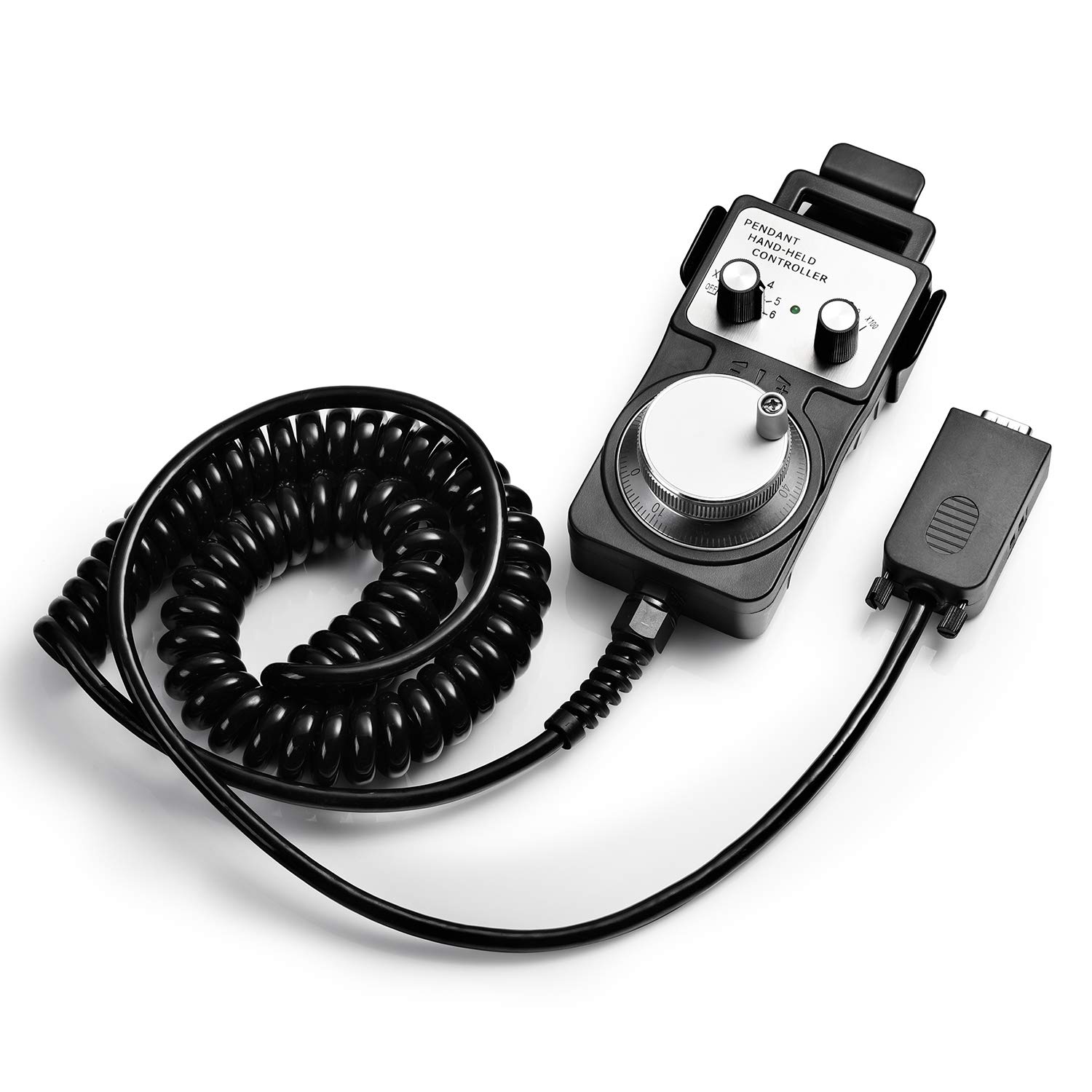
A handheld LCD controller that runs G-code from an SD card on the 3018-PROVer V2 and two 3020 machines, with long-press jogging, a spindle switch and Z probing built in.
A 3018-PROVer V2 normally streams its job from a computer over USB, line by line, for the whole run. This controller replaces that link with an SD card and a small LCD, so the laptop can go back to the house while the machine carves in the garage.
The change is bigger than it sounds. A USB stream can stall when the computer sleeps, updates or loses the port, and on a two-hour relief carving that means a ruined blank. With the file on a card, the controller feeds GRBL directly and the job runs to the end with nothing else attached.
What the controller handles on its own:
Genmitsu reworked this version for better G-code compatibility. It can read some non-standard codes that trip up simpler controllers, which avoids jobs stopping or shifting partway through when a CAM program writes a line the controller does not expect.
The unit is small, 4 by 2.9 inches and 0.13 kg, so it sits beside the machine or hangs off the frame without getting in the way of the gantry.
| Spec | Value |
|---|---|
| Brand | Genmitsu |
| Part number | 502655590 |
| Compatible machines | 3018-PROVer V2, 3020-PRO MAX V2, 3020-PRO Ultra |
| Not compatible | 3020-PRO MAX V1 |
| Operation | Runs G-code jobs with no computer connected |
| File source | SD card |
| Jogging | Continuous on long press, stepped on short press |
| Spindle control | On and off from the controller |
| Tool setting | Z-axis probe routine from the controller |
| G-code handling | Improved compatibility, reads some non-standard codes |
| Display | LCD |
| Dimensions | 4 × 2.9 × 0.39 in |
| Weight | 0.13 kg |
| Colour | Black |
| In the box | Offline controller |
Setting up a job means moving the bit to the corner of the stock and finding the surface. On older offline boxes that meant tapping a button once per step, dozens of times, to cross the bed.
Here a long press moves the axis continuously until the button is released, and a short tap moves it in a fixed increment for the final approach. It works like a coarse and fine adjustment, and it turns a two-minute setup into a few seconds.
A typical setup on a maple coaster blank:
Running Z setting from the controller is the key detail. Without a menu item, probing means writing a probe command into a G-code file on the card. Here it is a menu item, so the same file works whatever bit or stock thickness is on the machine that day.
The spindle switch helps in a different way. Turning the spindle on by hand before a job lets you listen for a bad bearing or a bit that runs out of true, without committing to a toolpath. On maple, a hard wood that punishes a wobbling bit, that small check is worth making.
The controller runs what is on the card, so the file has to be right before it leaves the computer. Most failures that look like controller faults start in the CAM export.
Every major hobby CAM program can write GRBL-flavoured G-code. In Fusion 360, choose the GRBL post-processor; in Carveco and Easel, pick the GRBL or 3018 machine profile. The result is a plain text file, usually ending in .nc or .gcode.
Habits that keep offline jobs trouble-free:
Test new files with the bit raised well above the stock first. Set Z zero 10 mm or so above the surface and run the job in air. The spindle traces the shape without cutting, and a wrong origin or a flipped axis shows up before it costs a blank.
The controller's improved reading of non-standard codes is a safety net, not a licence. A clean GRBL post still gives the most predictable run. For choosing the CAM program itself, see 3018 CNC software.
Genmitsu sells several ways to control a desktop CNC without a laptop tethered to it, and each one fits a different set of machines. Checking the model list first saves a return.
| Controller | Listed machines | Best at |
|---|---|---|
| Offline controller (this one) | 3018-PROVer V2, 3020-PRO MAX V2, 3020-PRO Ultra | Running jobs from a card |
| Offline control module | 1810-PRO, 3018, 3018-PRO | The same idea for older frames |
| GGW-UART Wi-Fi module | 3018-PRO, 3020-PRO MAX V2, 3030-PROVer MAX, 4040 models | Sending files from a phone |
| MPG handwheel | 3018-PROVer V2, 3020-PRO MAX V2, 4040-PRO and others | Precise manual positioning |
For a PROVer V2 owner the choice is clear. This controller and the MPG handwheel are the two listed for the V2. The handwheel is better for positioning by feel, with x1, x10 and x100 steps; the offline controller is the one that runs whole jobs.
The fit checks for this controller:
The card does not retire the laptop. It stays useful for designing and for the first run of a new file over USB, while proven jobs move to the card. Repeat work, like a batch of twenty engraved coasters, is where the card pays off most.
Genmitsu also sells the PROVer V2 bundled with this controller, which suits buyers who know from the start that the machine will live away from the desk. The Genmitsu 3018 line-up covers the V2 and its siblings.
No. It is listed for the 3018-PROVer V2, 3020-PRO MAX V2 and 3020-PRO Ultra. The 3018-PRO uses Genmitsu's older offline control module.
No. Genmitsu lists the 3020-PRO MAX V1 as unsupported.
Yes. The Z-axis tool setting routine runs from the controller, with no probe command needed in the G-code file.
From an SD card, so the machine can run with no computer attached.