Top 3018s
3018-PROVer V2 · limit switches · E-stop · Z-probe

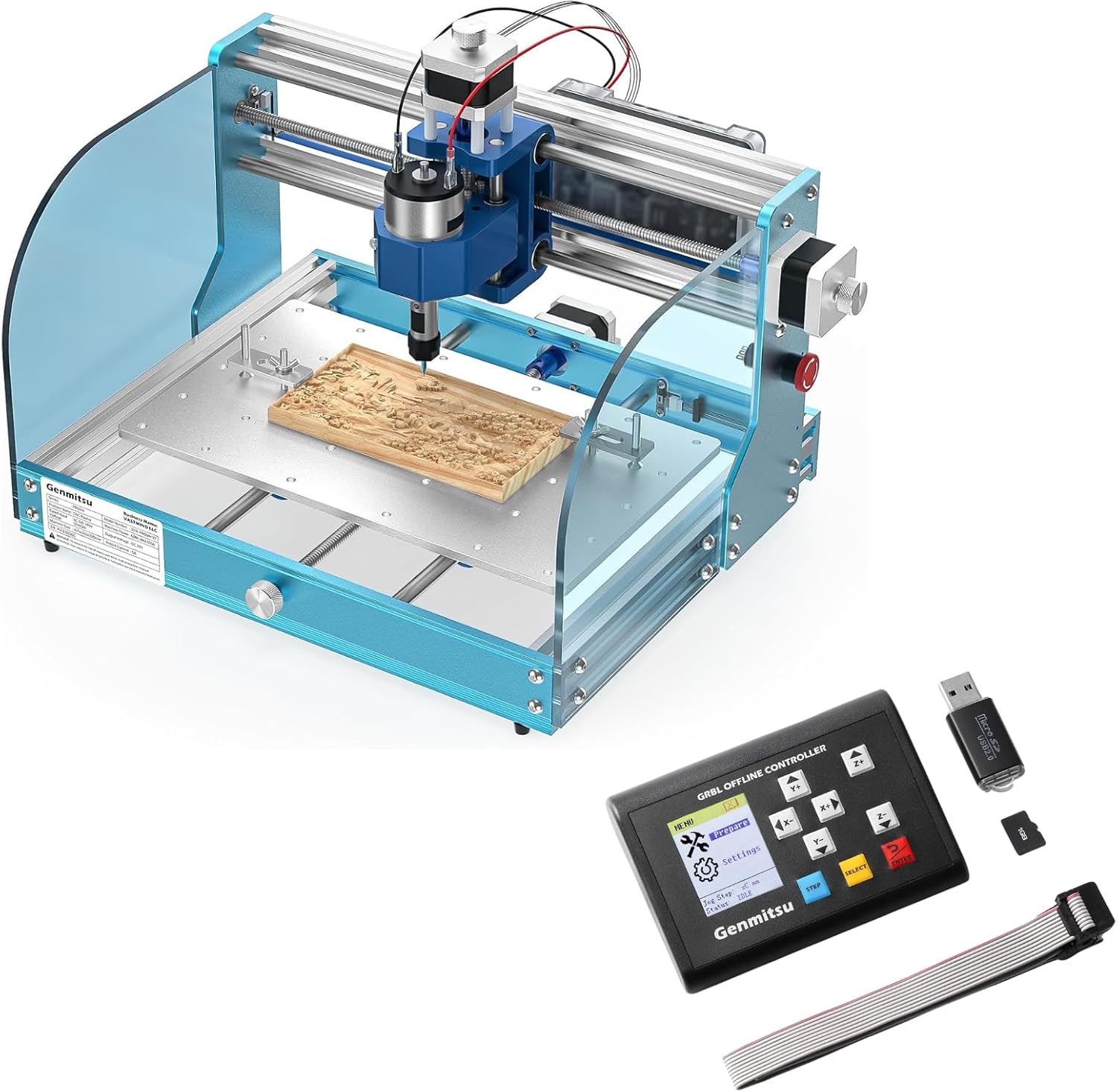
Genmitsu 3018-PROVer V2 CNC Router

Genmitsu's beginner 3018 with the safety kit already fitted: limit switches, an emergency stop and a Z-probe, on an aluminium frame whose gantry and one-piece aluminium bed arrive pre-assembled.

  • Working area284 × 180 × 41 mm
  • SafetyLimit switches and E-stop
  • Z-probeIncluded
  • Spindle775, 24V, up to 10,000 rpm
  • DriversToshiba TB6S109, 32-bit
  • Build timeAbout 35 minutes, maker's figure
Suits
  • A first CNC with homing, an E-stop and a probe from day one
  • Beginners who want to cut the same evening it arrives
  • Growing into a Y extension, metal Z, rotary or enclosure
  • Wood, acrylic, PCB and carbon fibre sheet
Skip if
  • Working areas beyond 284 × 180 mm without the Y extension
  • Regular aluminium work on the stock 775 and carriage
  • Owners who already have a 3018 and only need switches
Get it here
Kit contents

Bare PROVer V2 or with an offline pad, extension or rotary

Homed and probed: cherry inlay pockets on the PROVer V2

The PROVer V2 is the 3018 for someone who wants the machine to know where it is. Limit switches let GRBL home to a fixed corner, the emergency stop kills motion with one press, and the Z-probe sets tool height by contact. On most other 3018 kits those three parts are add-ons; here they come fitted.

What each one changes on a real job, such as matching pockets for a cherry inlay:

  • Limit switches. Homing gives a fixed machine zero, so a pocket cut today and its insert cut tomorrow line up.
  • Emergency stop. A loose clamp or a wrong zero ends with one hand movement, not a hunt for the right key in the sender.
  • Z-probe. Pocket depth stays exact after every bit change from roughing end mill to finishing bit.
  • Soft limits. With homing in place, GRBL can refuse moves that would crash an axis into its end.

The frame is aluminium, and the gantry and one-piece aluminium spoilboard arrive pre-assembled with the cables already managed. Genmitsu quotes under 35 minutes from box to machine. Acrylic baffles keep chips inside the work area.

Updated electronics. The V2 board uses Toshiba TB6S109 stepper drivers with 32-bit chips, which Genmitsu describes as powerful yet quiet, and adds extra ports for add-ons such as an offline controller.

Cherry is a good match for this machine. It machines cleanly with a 1/8 in end mill, shows crisp edges in shallow pockets, and rewards the repeatability that homing and probing bring.

Measurements

The spec log

SpecValue
ModelGenmitsu 3018-PROVer V2 (3018PV2L)
Working area (X × Y × Z)284 × 180 × 41 mm (11.2 × 7.1 × 1.6 in)
FrameAluminium structure
BedOne-piece machined aluminium spoilboard
Pre-assembled partsGantry frame and spoilboard, tidy cable management
Assembly time (maker's figure)Under 35 minutes
Spindle775 motor, 24V
Maximum spindle speed10,000 rpm
Stepper driversToshiba TB6S109 with 32-bit chips
Control boardRedesigned, with extra add-on ports
Limit switchesFitted
Emergency stopFitted
Z-probeIncluded
GuardsAcrylic baffles
CAD/CAM software namedCarveco, Fusion 360, Easel
Materials namedWood, plastic, acrylic, PVC, PCB, carbon fibre, density board, copper, aluminium
Weight9.24 kg (20.4 lb)
Y extensionExtends Y to 460 mm; 400 mm effective travel with the extended bed

Carbon fibre, PVC and copper on a 10,000 rpm 775

Genmitsu lists a wide range of materials for the PROVer V2: acrylic, PVC, PCB, carbon fibre, density board, plastic and wood, plus soft metals such as copper and aluminium. The machine handles all of them at hobby scale, and the 775 spindle at up to 10,000 rpm sets how hard each one can be pushed.

MaterialTypical PROVer V2 jobWatch for
Hardwood, plywood, MDFSigns, inlays, boxes, coastersDust; fit a shoe for MDF
Acrylic, PVCPanels, badges, edge-lit signsMelting at low feed
FR4 / PCBIsolation-milled prototype boardsGlass-fibre dust; extraction and a mask
Carbon fibre sheetDrone frames, bracketsConductive, abrasive dust
Copper, aluminiumTags, thin plates, engravingShallow passes, single-flute bits

Carbon fibre and FR4 deserve extra care. Both make fine, abrasive dust that should be caught at the bit and never breathed, and carbon dust conducts, so keep it away from the controller.

Good habits for the harder materials:

  • Start with shallow passes and deepen them only once the cut sounds steady.
  • Use a single-flute bit in acrylic and aluminium so chips clear.
  • Cut FR4 and carbon fibre with extraction running, or damp, and wear a mask.
  • Keep the stock clamped tight; vibration ruins edges on every material here.

For steadier metal work, the PROVer V2 takes Genmitsu's aluminium Z assembly with a 52 mm mount for a 300–500W spindle. Starting feeds and material notes are on what a 3018 cuts.

In the lineup

Where it lands among 3018 gear

3018 CNC machine models by type, September 2026. Highlighted: Genmitsu 3018-PROVer V2 CNC Router.

A 35-minute build, homing and a first file from Carveco

With the gantry and bed pre-assembled, the build is mostly joining the two and plugging in labelled cables. What is left of that first evening goes on software: a CAD/CAM program to make the G-code, a GRBL sender to run it, and a homing cycle to give the machine its reference.

  1. Join the pre-assembled gantry to the base and tighten the fasteners evenly.
  2. Connect the motor, limit switch, E-stop and probe cables to their ports.
  3. Connect USB, open a GRBL sender and check that each axis jogs the right way.
  4. Hit the E-stop once as a test, then release it.
  5. Run the homing cycle and watch each axis find its switch.
  6. Clamp stock, probe Z, set X and Y, and run a short test cut.

GRBL settings worth knowing on a machine with switches. Each is typed in the console as a dollar sign followed by its number:

  • Setting 22 switches homing on.
  • Setting 21 turns on hard limits, so a triggered switch stops the machine.
  • Setting 20 turns on soft limits, which need homing to work.
  • Settings 130–132 hold the maximum travel of X, Y and Z, which soft limits check against.
  • Setting 27 is the pull-off: how far each axis backs away from its switch after homing.

Leave these at Genmitsu's defaults until the machine has run a few jobs. Most homing problems on a new build turn out to be a loose connector or a switch knocked out of line, not a setting.

Genmitsu names Carveco, Fusion 360 and Easel for design and toolpaths. Carveco Maker suits signs and V-carving; Fusion 360 suits parts with dimensions. Walkthroughs of both, and of the senders, are on the 3018 software page.

Back up the board's settings before changing any of them. Type $$ in the sender console, copy the list into a text file, and keep it with the machine.
Swap-ins

Three other ways to go

Lower-cost Genmitsu1 Genmitsu 3018-PRO CNC Router Kit
Genmitsu 3018-PRO CNC Router Kit
The 3018-PRO kit keeps the offline controller and add-on range, without switches, E-stop or probe.
  • 300 × 180 × 45 mm
  • 775 brushed spindle, ER11 collet
  • Offline controller: runs without a PC
Get it here
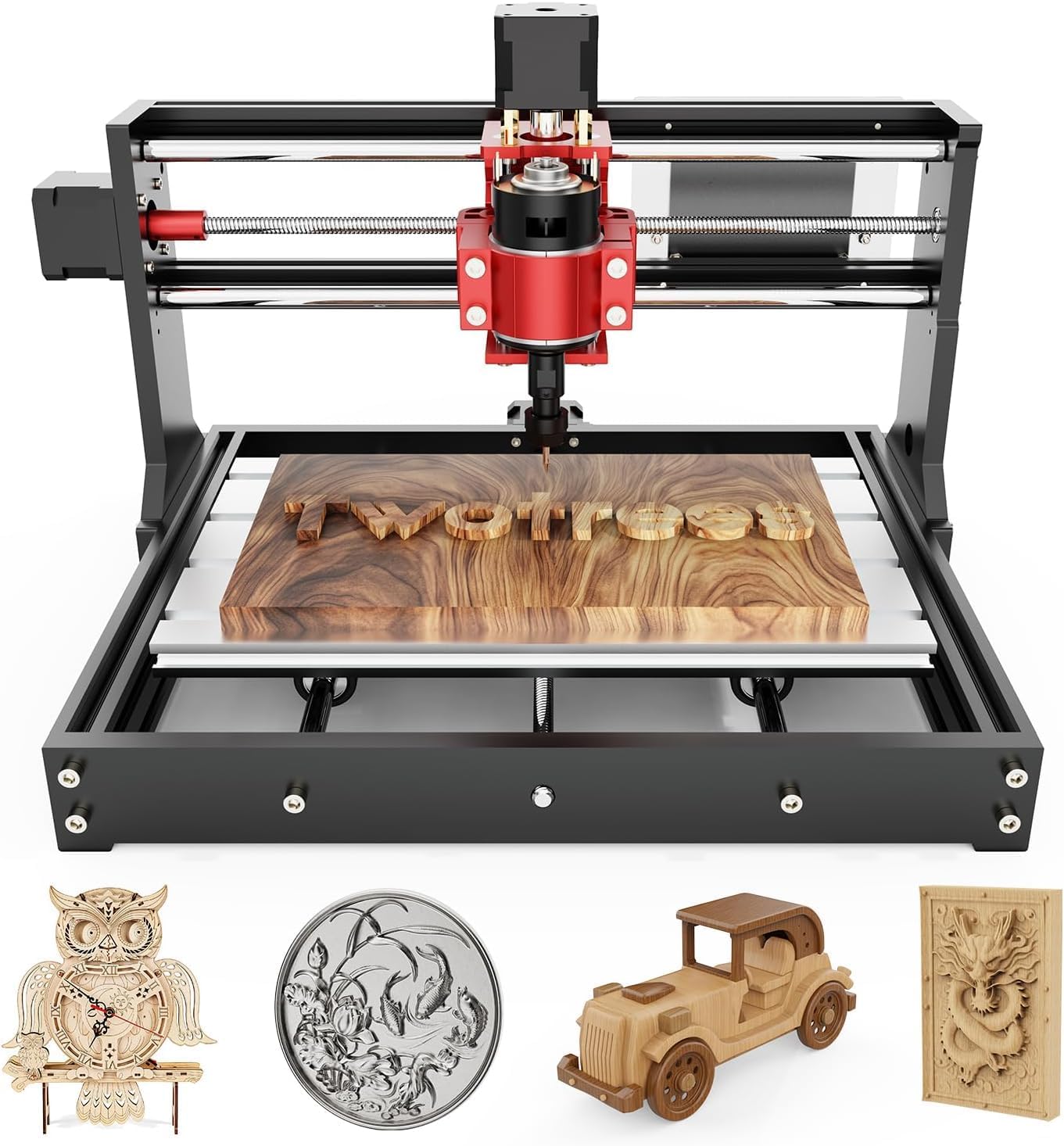
Metal Z on a budget3 Twotrees TTC3018 Pro CNC Router
Twotrees TTC3018 Pro CNC Router
The Twotrees TTC3018 Pro fits an all-metal Z with a T8 anti-backlash screw to the 300 × 180 mm bed.
  • 300 × 180 × 40 mm
  • 775 brushed spindle, ER11 collet
  • All-metal frame
Get it here

Which PROVer V2 bundle: offline pad, Y extension or rotary

The PROVer V2 comes on its own or paired with one of more than a dozen add-ons. The machine is identical in each; the bundle just decides which upgrade arrives first. Choose by the first project that the bare machine cannot do.

  • Offline controller or MPG handwheel: run files or jog without a laptop beside the machine.
  • Y-axis extension or 3040 aluminium spoilboard: Y grows to 460 mm with 400 mm of effective travel on the extended bed, for longer signs and boards.
  • Aluminium Z assembly V2 or GS-775M spindle: more stiffness or more speed for acrylic and soft metal.
  • Rotary module: engraves round work up to 40 mm across and 184 mm long, such as pens and handles.
  • KABA Lite enclosure: a 450 × 390 × 300 mm box for dust, noise and chips.
  • Dust shoe, clamps or spoilboard: the everyday extras.

Against its neighbours:

MachinePick it when
PROVer V2Switches, E-stop, probe and a metal bed wanted from day one
3018-PRO kitLower cost, offline controller included, homing not needed
LUNYEE 3018 Pro MaxAluminium and 80 mm of Z are the plan, with a 500W spindle

The first bundle worth weighing is the offline controller. The PROVer V2 has the ports for one, and once jobs run from a handset, the laptop is free for other work while the machine cuts in the garage.

Plan the bench for the machine plus an enclosure later, and note that many add-ons are V2-specific: probes, spoilboards and clamps differ between the V2 and older PROVer models. The whole Genmitsu line is compared on the Genmitsu 3018 page.

Bench notes

Setup questions

What comes with the 3018-PROVer V2?

It ships with limit switches, an emergency stop and a Z-probe; the gantry and the one-piece aluminium bed come already built.

How big is the PROVer V2's working area?

About 284 × 180 × 41 mm (11.2 × 7.1 × 1.6 in). The Y extension kit lengthens Y to 400 mm of effective travel.

Does the PROVer V2 run without a computer?

Not out of the box; it runs from a GRBL sender over USB. An offline controller or MPG handwheel is available separately or in a bundle.

Can the PROVer V2 cut aluminium?

Soft aluminium and copper in shallow passes, yes. For regular metal work, add the aluminium Z assembly and a 300–500W spindle.

Is the PROVer V2 good for beginners?

Yes: it arrives mostly assembled, and homing, the E-stop and the probe remove the most common early mistakes.