Top 3018s
3018-PRO · 775 spindle · GRBL + offline controller

Genmitsu 3018-PRO CNC Router Kit

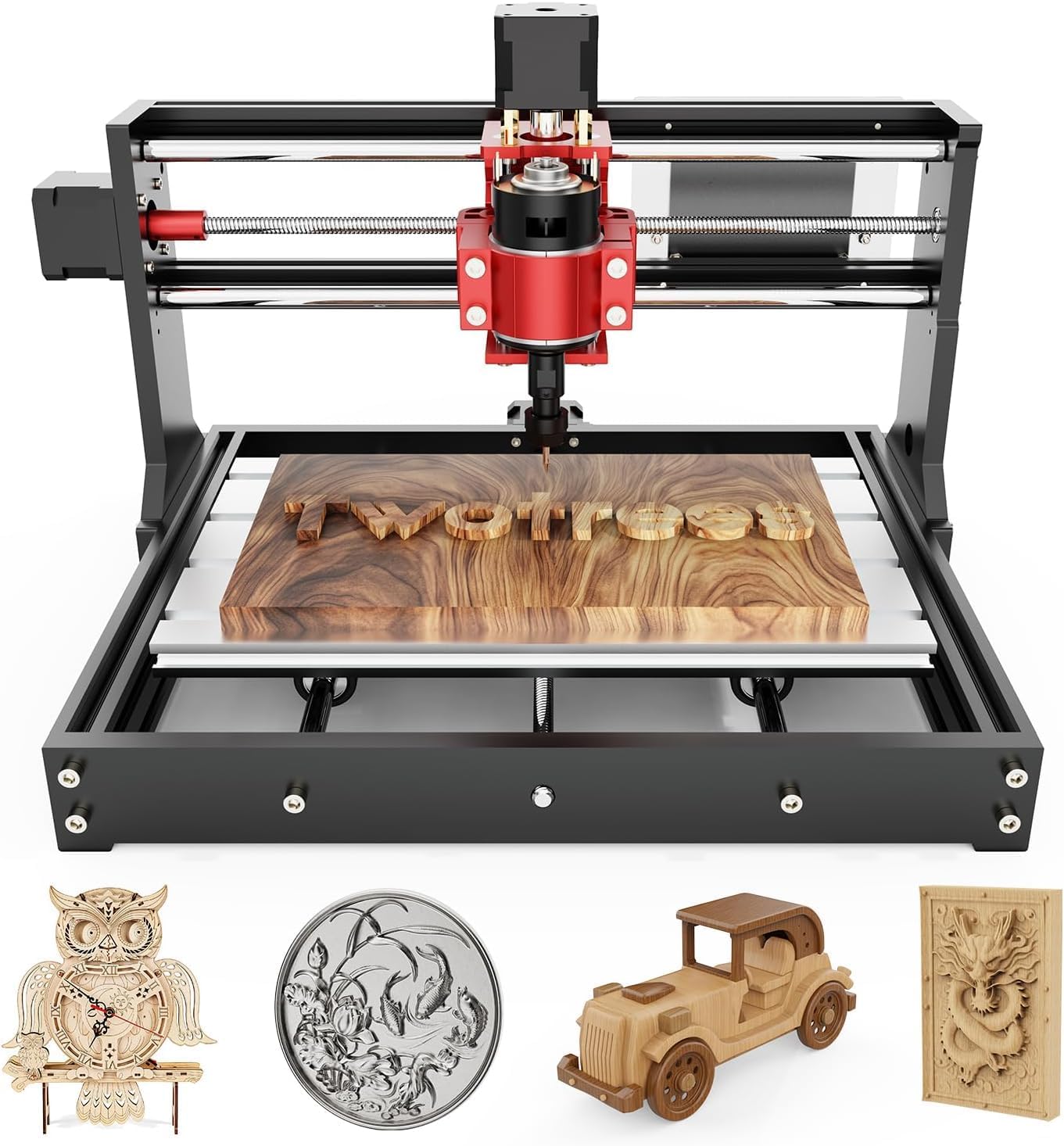
The desktop router most people mean when they say 3018: a 300 × 180 mm T-slot bed, a 24V 775 spindle on a nylon Z carriage, GRBL on the board and a handheld controller for runs without a laptop.

  • Working area300 × 180 × 45 mm
  • Spindle775 motor, 24V, 60W rated
  • ControlGRBL, Candle sender
  • OfflineHandheld controller included
  • BedT-slot 2040 aluminium profile
  • Max travel speed1200 mm/min
Suits
  • A first CNC for wood signs, acrylic and PCB blanks
  • Makers who want the most common 3018 frame, with parts everywhere
  • Running files away from the computer with the offline controller
  • A base to grow with a probe, a metal Z or a Y extension
Skip if
  • Regular aluminium or brass work: the nylon Z and 775 motor flex
  • Anyone wanting limit switches and an E-stop out of the box
  • Pieces longer than 300 mm without the Y extension
Get it here
Kit contents

Bare kit or with a laser, probe or bigger bed

Birch plywood lettering from the Genmitsu 3018-PRO

Genmitsu's 3018-PRO is the reference build of the whole 3018 family: the same 300 × 180 mm footprint the clones copy, with the assembly tidied up. The components drop into place without aligning, and the base is raised to 4 cm so the frame sits stiffer on the bench. What arrives is a hobby router sized for signs, coasters, PCB blanks and small parts.

Three things set this kit apart from a generic 3018:

  • A handheld offline controller in the box. Jog, zero and run a file with the laptop closed.
  • A redesigned control board. It sits in an ABS case with a fan, which keeps chips and dust off the drivers.
  • An ecosystem of add-ons. Probe, aluminium Z, Y extension, dust shoe, laser and spoilboards are all made for this exact frame.

The motion system is plain and easy to service: linear shafts carry each axis and leadscrews drive them, with a top travel speed of 1200 mm/min. The bed is a T-slot 2040 aluminium profile, so clamps and a sacrificial board bolt straight on.

Where the 3018-PRO stops. The Z carriage is nylon and the spindle is a 775 DC motor rated at 60W. That pairing carves wood and plastics cleanly; Genmitsu itself describes the machine as built for engraving and light work, not deep metal cutting.

Birch plywood is the classic first material. A 20° V-bit from the kit engraves lettering, and a 1/8 in flat end mill cuts letters or pockets in shallow passes. Soft maple and walnut follow the same rules at a slower feed.

Plywood also shows the frame's limits early. Glue lines in cheap sheet dull bits fast, and voids in the core chip out at the letter edges, so a few sheets of good birch are worth more than a new cutter.

Measurements

The spec log

SpecValue
ModelGenmitsu 3018-PRO
Working area (X × Y × Z)300 × 180 × 45 mm (11.8 × 7.1 × 1.8 in)
Machine footprint400 × 330 × 240 mm (15.7 × 13.0 × 9.4 in)
FramePF plates on aluminium profile, base raised to 4 cm
BedT-slot 2040 aluminium profile
Motion systemLinear shafts and leadscrews
Maximum travel speed1200 mm/min
Z-axis carriageNylon
Spindle775 DC motor, 24V
Spindle power60W rated, 120W maximum
Stepper motors1.3 A, 0.25 N·m holding torque
Included bits20° V-bits, 0.1 mm tip, 3.175 mm (1/8 in) shank
ControllerGRBL board in an ABS case with fan
Offline controlHandheld offline controller included
Sender softwareCandle (GRBL control)
Supported OSWindows XP, 7, 8, 10 and macOS
Power supply24V, 4A
Weight15.3 lb (6.9 kg)

Cast acrylic, FR4 and soft aluminium under a 60W 775

The 775 motor sets the pace for every material on this machine. It has enough torque for a 1/8 in cutter taking shallow passes, and it runs out of stiffness long before it runs out of speed. Keep the depth of cut small and let the passes add up.

MaterialGood on a stock 3018-PROStarting approach
Softwood, plywood, MDFSigns, coasters, pockets, cut-outs1/8 in two-flute, 0.5–1 mm per pass
HardwoodLettering, inlays, small boxesSame bit, shallower passes, slower feed
Cast acrylicEngraved plates, cut-out shapesSingle-flute O-flute, 0.3–0.5 mm per pass
FR4 / copper cladIsolation-milled prototype boards20° V-bit, a levelled bed, very shallow cut
AluminiumEngraved tags, thin plate onlySingle-flute, 0.1–0.2 mm per pass, patience

Those depths are common starting points, not fixed numbers. The right feed depends on the bit's sharpness and flute count, how far the collet hangs below the carriage, and how firmly the blank is fixed.

Signs that a cut is asking too much of the frame:

  • A buzzing, rising pitch as the cutter bites in.
  • Wavy walls on a straight line, from the Z carriage flexing.
  • Melted, gummy chips in acrylic, from rubbing instead of cutting.
  • Lost steps: a pocket that ends up shifted from the drawing.

Every one of those fixes the same way: slow the feed, shallow the pass, sharpen or swap the bit. The starter feeds and first cuts go through wood, acrylic and PCB material in more detail.

In the lineup

Where it lands among 3018 gear

3018 CNC machine models by type, September 2026. Highlighted: Genmitsu 3018-PRO CNC Router Kit.

Zeroing a pine blank in Candle and running offline

The kit ships as a set of assemblies rather than a pile of loose parts. The frame, the gantry and the Z carriage go together with the included hex keys, and the cables plug into a labelled board. Most first builds end in the same place: the spindle homed over a scrap of pine, Candle open, and a first test file ready.

  1. Build the frame on a flat surface and check the gantry sits at right angles to the bed before the final tightening.
  2. Install the USB serial driver for the board if the computer does not list a new COM port.
  3. Open Candle, connect at the port it finds, and nudge each axis by a few millimetres to check direction.
  4. Clamp a pine offcut, lower the bit until it just pinches a paper strip on the surface and zero X, Y and Z.
  5. Load a small engraving, run it with the spindle on, and watch the first pass, ready to pause.

The board stores GRBL's configuration. The values worth reading on day one are the steps-per-mm figures, the maximum rates and the maximum spindle value, which decides what the S number in a G-code file means. The software walkthrough covers Candle, UGS and the settings that trip people up.

The offline controller takes over once a file is proven:

  • Put the G-code file on its memory card.
  • Plug it into the board in place of the USB cable.
  • Jog to the work origin, zero, and start the file from the handset.

There are no limit switches in this kit. Homing is manual, and the machine trusts the zero you set, so mark the origin on the spoilboard for repeat jobs.

Swap-ins

Three other ways to go

Metal Z from the start1 Twotrees TTC3018 Pro CNC Router
Twotrees TTC3018 Pro CNC Router
The TTC3018 Pro puts an all-metal Z with a T8 anti-backlash screw on the same 300 × 180 mm bed.
  • 300 × 180 × 40 mm
  • 775 brushed spindle, ER11 collet
  • All-metal frame
Get it here
Same frame, other maker3 CNCTOPBAOS 3018-PRO CNC Router
CNCTOPBAOS 3018-PRO CNC Router
CNCTOPBAOS builds the 3018-PRO layout with a 775 spindle and its own offline controller.
  • 300 × 180 × 45 mm
  • 775 brushed spindle, ER11 collet
  • Offline controller: runs without a PC
Get it here

Which 3018-PRO bundle suits plywood, acrylic or a laser

Every box holds the same machine; the bundles differ in the one extra part that comes with it. Pick by the job the router will do most in its first month, because every add-on here also exists on its own for later.

  • With the 5W laser module: for anyone who wants to burn photos and cut thin plywood as much as carve. The laser mounts where the spindle sits; see laser modules for the 3018.
  • With the touch probe: the most useful first add-on; it sets tool height by a click instead of a paper strip.
  • With the Y extension or 3040 spoilboard: for longer signs and boards up to 400 mm in Y.
  • With end mills: for wood-first owners who will break a few 1/8 in bits learning feeds.
  • With the dust shoe or MDF spoilboard: for a clean bench and a flat, replaceable cutting surface.

Against the other popular frames, the choice is about the Z axis and safety kit:

MachinePick it when
3018-PROWood and plastic first, offline control wanted, most parts available
TTC3018 ProA metal Z and T8 screw from day one for thin brass and aluminium sheet
3018-PROVer V2Limit switches, an E-stop and a probe included, pre-assembled gantry

Three questions settle the order: is there bench room for a 400 × 330 mm frame plus cables, is there a stock of 1/8 in bits, and is soft metal a real plan? If it is, budget for the aluminium Z assembly now. Other 3018-PRO builds from other makers are compared on the 3018 Pro CNC machine page.

Bench notes

Setup questions

Can the Genmitsu 3018-PRO cut aluminium?

In thin passes, soft aluminium is possible; Genmitsu describes it as an engraving and light-duty machine, not a metal mill. The aluminium Z assembly and a larger spindle make soft metal far more practical.

Does the 3018-PRO need a computer?

Not for every job. The included offline controller runs G-code from its memory card; a computer still makes the files and handles Candle-based setup.

Does the 3018-PRO have limit switches?

No. Zero is set by hand for each job. Limit switches and an E-stop come standard on the 3018-PROVer V2.

What software runs the 3018-PRO?

Any GRBL sender, with Candle as the standard choice on Windows. Designs come from CAM software such as Carveco, Easel or Fusion 360.

How big is the 3018-PRO's working area?

300 × 180 × 45 mm, on a frame roughly 400 × 330 × 240 mm.