Top 3018s
TTC3018 Pro · all-metal Z · T8 anti-backlash screw

Twotrees TTC3018 Pro CNC Router

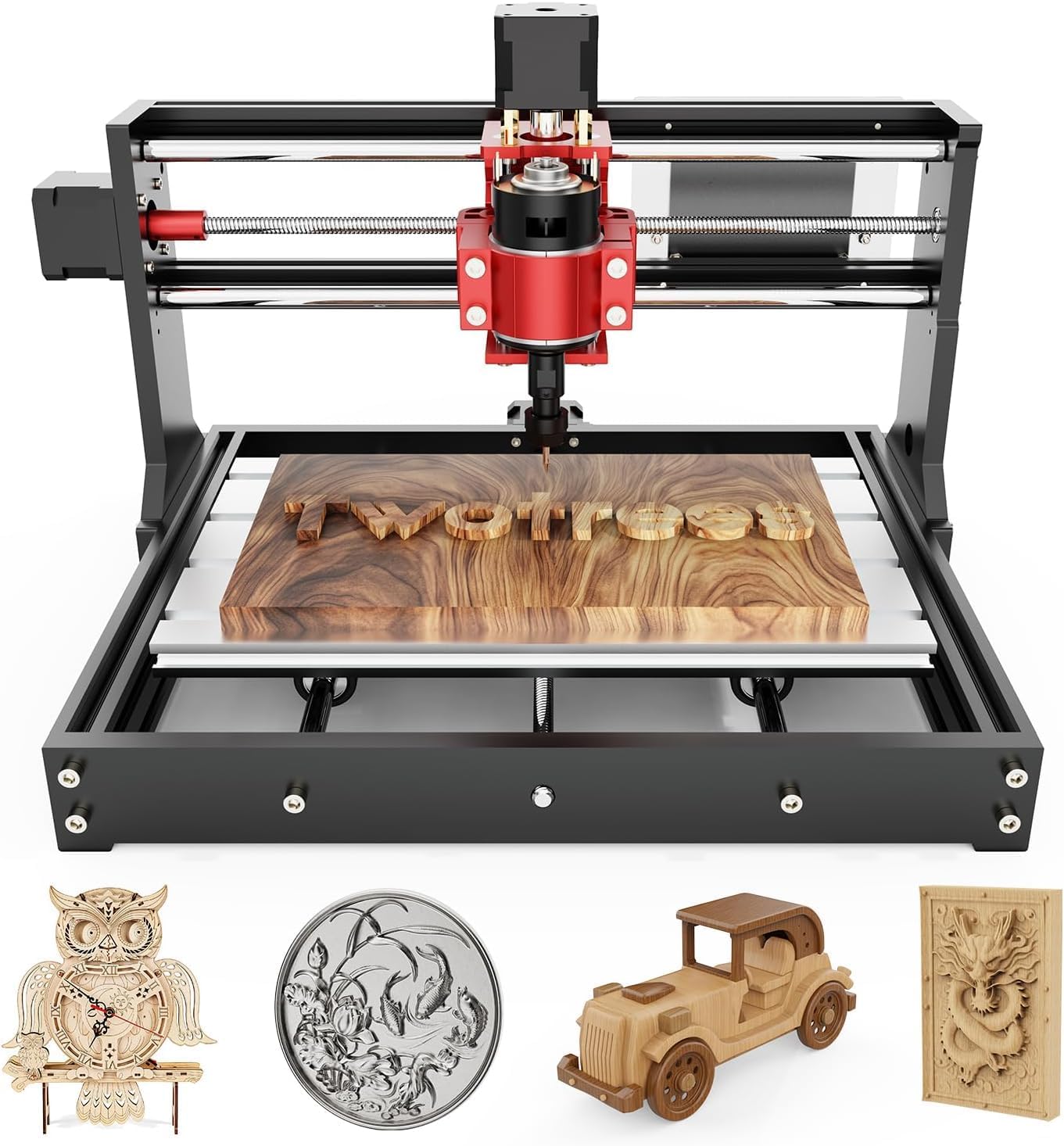
Twotrees' upgraded 3018: the same 300 × 180 × 40 mm bed as the TTC3018, with an all-metal Z axis on a T8 anti-backlash leadscrew so thin aluminium and brass sheet cut without the carriage shaking.

  • Z axisAll-metal, T8 anti-backlash leadscrew
  • Working area300 × 180 × 40 mm
  • Spindle775, 7,000–9,000 rpm, ER11
  • Control32-bit GRBL board, USB only
  • In the box10 cutters, ER11 collet, tools
  • Weight15 lb
Suits
  • Aluminium and brass sheet alongside wood and acrylic
  • Nameplates and small-batch personalised pieces
  • Learning how a 3-axis machine works by building one
  • A compact 420 × 355 mm footprint on a crowded desk
Skip if
  • Running jobs with no computer: USB only, no card slot
  • Wi-Fi or Bluetooth control, which it does not have
  • Deep pockets in metal, which call for a 500W spindle
Get it here

Aluminium and brass sheet on the TTC3018 Pro's metal Z

On most budget 3018s the weakest part is the Z carriage: a moulded block that holds the spindle and flexes when the bit pushes into anything hard. The TTC3018 Pro replaces it with an all-metal Z axis driven by a T8 leadscrew with an anti-backlash nut. Twotrees builds the Pro around that one change, and it is what separates this machine from the plain TTC3018.

What the metal Z does in practice:

  • Less deflection. The spindle stays square to the bed when the bit meets resistance, so walls stay straight.
  • No slack on reversal. The anti-backlash nut takes up the play between screw and nut, so a pass down and a pass up land at the same depth.
  • Steadier engraving. Fine lettering in brass keeps its edges instead of showing a chatter pattern.
  • Room for thin metal. Aluminium and brass sheet become a practical material rather than an experiment.

The rest of the machine is shared with the TTC3018: a 300 × 180 × 40 mm working area, a 775 spindle at 7,000–9,000 rpm with an ER11 collet, and a 32-bit GRBL board. At 15 lb and 420 × 355 × 280 mm, it stays a true desktop machine.

Thin sheet, shallow passes. The metal Z raises the ceiling, but the 775 motor sets it. Aluminium and brass sheet cut well in passes of a tenth or two of a millimetre with a sharp single-flute bit; thick plate and deep pockets remain jobs for a 500W spindle.

Brass is the friendlier of the two metals here. It cuts into short, dry chips and engraves with a crisp edge, where aluminium tends to stick to the bit when the feed or chip clearing slips.
Measurements

The spec log

SpecValue
ModelTwotrees TTC3018 Pro
Working area (X × Y × Z)300 × 180 × 40 mm
Machine size420 × 355 × 280 mm
Weight15 lb (6.8 kg)
Z axisAll-metal carriage
Z driveT8 leadscrew with anti-backlash nut
Positioning accuracy (maker's figure)0.1 mm
Controller32-bit GRBL control board
ConnectionUSB cable to a computer
Offline and wirelessNo TF card slot, no Bluetooth, no Wi-Fi
File format.nc / G-code
Spindle775 motor, 7,000–9,000 rpm
ColletER11, 0.5–7 mm shanks
Cutters included10 standard cutters
Design software namedArtCAM, Fusion 360
Supported OSWindows XP, 7, 8, 10; macOS also named
Kit40+ components, assembled by the owner
ColourBlack and red

Walnut nameplates and acrylic signs in small batches

Twotrees pitches the Pro at personalised nameplates and small-business runs as well as hobby projects. The 300 × 180 mm bed holds several nameplate blanks at once, and the stiffer Z keeps the engraving depth even from the first blank to the last.

Jobs that suit the Pro:

  • Engraved walnut, maple and cherry nameplates, several per clamp-up.
  • Cast acrylic signs and edge-lit panels with a single-flute bit.
  • Brass and aluminium tags, labels and small plaques.
  • PCB prototypes on copper-clad board with a V-bit.
  • Small parts for models, jigs and enclosures in HDPE or PVC foam.
MaterialStarting depth per passBit
Walnut, maple0.5–1 mm1/8 in two-flute or V-bit
Cast acrylic0.3–0.5 mmSingle-flute O-flute
Brass sheet0.1–0.2 mmV-bit or single-flute carbide
Aluminium sheet0.1–0.2 mmSingle-flute carbide

Those are cautious starting points. The right figure depends on bit diameter, sharpness and how firmly the blank is fixed, and it is always easier to speed a cut up than to recover from a snapped bit.

For batches, a simple jig pays back quickly. Screw a scrap fence to the spoilboard, push each blank against it, and the same zero serves every piece without re-probing X and Y.

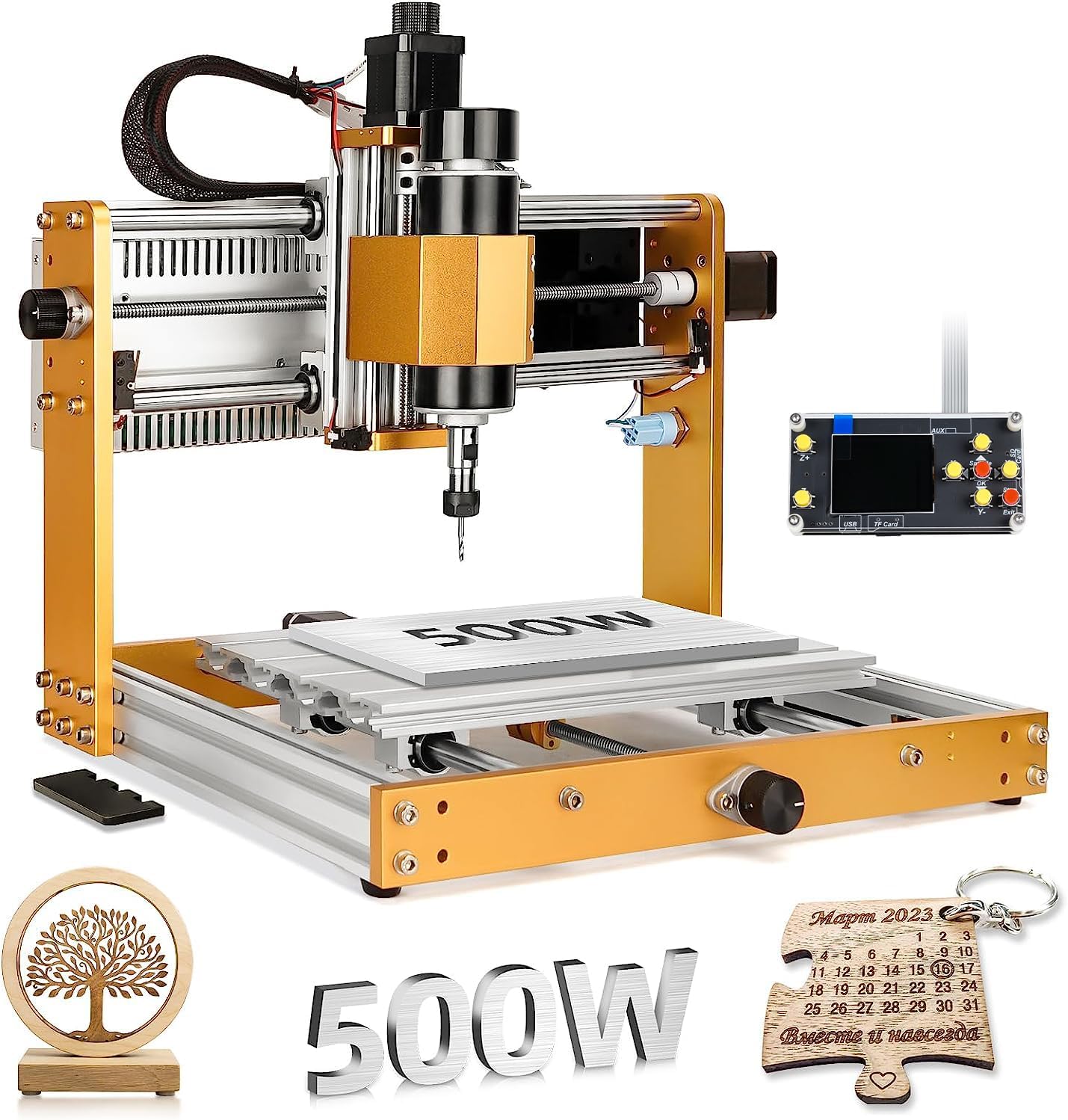
The limits are the 40 mm of Z travel and the 775's power. Thick hardwood blanks and vises eat into the Z range fast, and deep aluminium pockets are slow. Frames offering 80 mm of Z plus a 500W spindle are compared on the 3018 Pro Max page.

In the lineup

Where it lands among 3018 gear

3018 CNC machine models by type, September 2026. Highlighted: Twotrees TTC3018 Pro CNC Router.

Assembling 40-odd parts and streaming G-code over USB

The TTC3018 Pro comes as a full kit of more than 40 components, which Twotrees frames as part of the point: assembling it shows how the X, Y and Z motion works. Everything needed to start is in the box, including ten standard cutters, the ER11 collet, the 775 spindle and the tools.

  1. Build the frame on a flat table and true the gantry against the bed before the final tightening.
  2. Fit the metal Z carriage and spindle, then check the T8 screw turns without binding along its full travel.
  3. Connect the controller and plug in the USB cable.
  4. Open a GRBL sender, jog each axis, and confirm a 100 mm move measures 100 mm.
  5. Fit a cutter in the ER11 collet, clamp scrap, zero, and run a short test file.

The control side is deliberately simple. The 32-bit GRBL board talks to the computer over the USB cable, and .nc or G-code files stream from there. There is no TF card slot, no Bluetooth and no Wi-Fi, so the computer stays connected for the whole job.

A USB-only machine is only as reliable as its cable and computer. Use a short, good cable routed away from the spindle leads, and switch off sleep and automatic updates before a long carve.

Twotrees names ArtCAM and Fusion 360 for design and supports Windows XP through 10. Since the board runs GRBL, the usual free senders suit it too; the 3018 software guide sets out the options. Before the first metal job, add clamps or a spoilboard, and a Z probe if tool changes are frequent.

Swap-ins

Three other ways to go

Lower-cost Twotrees1 Twotrees TTC3018 CNC Router
Twotrees TTC3018 CNC Router
The TTC3018 shares the bed, 775 spindle and 32-bit GRBL board, without the all-metal Z.
  • 300 × 180 × 40 mm
  • 775 brushed spindle, ER11 collet
  • GRBL control over USB
Get it here
Offline control2 Genmitsu 3018-PRO CNC Router Kit
Genmitsu 3018-PRO CNC Router Kit
Genmitsu's 3018-PRO kit adds a handheld offline controller and the widest range of matching add-ons.
  • 300 × 180 × 45 mm
  • 775 brushed spindle, ER11 collet
  • Offline controller: runs without a PC
Get it here

Metal Z, offline pad or 500W: the TTC3018 Pro among rivals

Among 3018s that sold well last month, the TTC3018 Pro stands out for a metal Z as standard. That makes the comparison with its neighbours straightforward: it trades offline control and add-on range for a stiffer spindle carriage from day one.

MachineZ carriageSpindleOffline control
TTC3018 ProAll-metal, T8 anti-backlash775, up to 9,000 rpmNo
TTC3018Standard carriage775, up to 9,000 rpmNo
Genmitsu 3018-PRONylon775, 24VYes, handheld
LUNYEE 3018 Pro MaxAll-metal frame, 80 mm Z500W, up to 12,000 rpmYes

The metal Z also changes the upgrade maths. On a nylon-Z 3018, the first serious upgrade for metal is an aluminium Z assembly, bought and fitted separately. The TTC3018 Pro arrives with that step already taken, so the next spend can go on clamps, a probe and good carbide bits instead.

Pick the TTC3018 Pro if:

  • Thin aluminium or brass is a regular part of the plan.
  • A computer beside the machine is not a problem.
  • The budget stops well short of a 500W all-metal machine.

Against the Genmitsu kit specifically, the question is which matters more on the bench: a laptop-free workflow or a stiffer carriage. Owners who cut mostly wood tend to value the first; owners heading for brass and aluminium tags value the second.

Look elsewhere if offline runs matter (the 3018-PRO), if thick metal and 80 mm of Z are the goal (the Pro Max), or if wood and acrylic are the whole story and the lower cost of the plain TTC3018 appeals. Whichever frame wins, budget for workholding from the first day. What each budget buys is on the 3018 price page.

Bench notes

Setup questions

What does the TTC3018 Pro add over the TTC3018?

An all-metal Z axis with a T8 anti-backlash leadscrew and a set of ten cutters. The bed, spindle and controller are shared.

Can the TTC3018 Pro cut aluminium?

Aluminium and brass sheet, yes, in shallow passes with a sharp single-flute bit. Thick plate and deep pockets suit a 500W machine better.

Does the TTC3018 Pro have Wi-Fi or an SD card slot?

USB only: it connects by USB cable only and has no TF card slot, Bluetooth or Wi-Fi.

How big is the TTC3018 Pro?

About 420 × 355 × 280 mm and 15 lb, with a 300 × 180 × 40 mm working area.

Does the TTC3018 Pro come assembled?

It comes as a kit of more than 40 parts with the tools and cutters needed to build it and start cutting.